
Identity & Microsoft 365
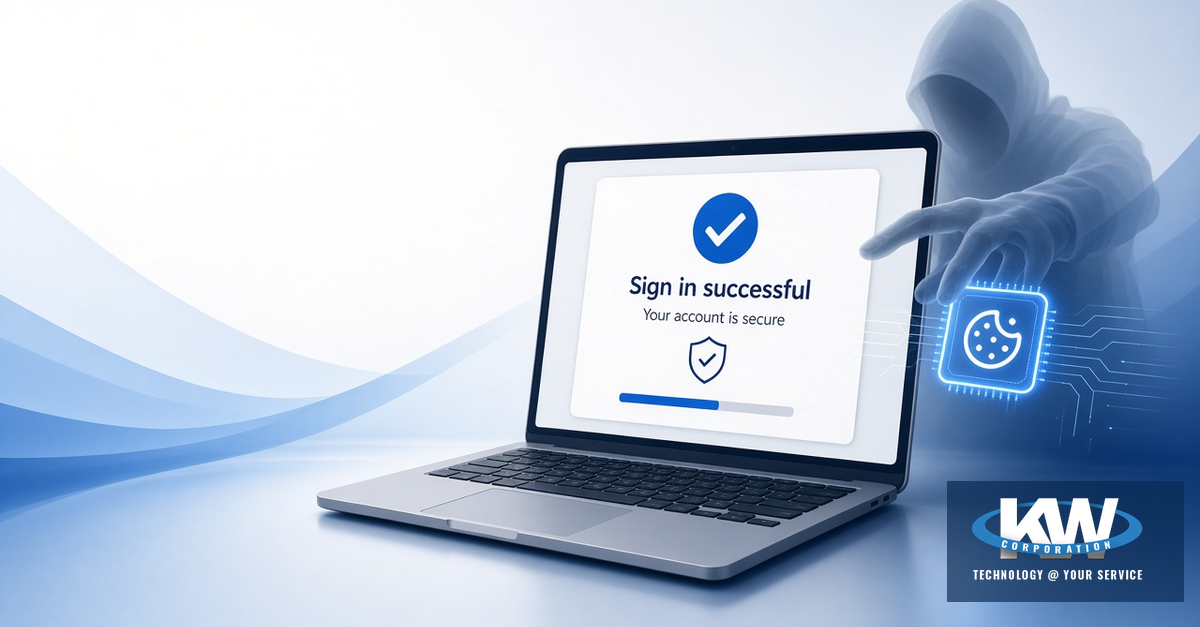
Your employee typed a password, approved the multifactor prompt, and reached Microsoft 365. From their side, the sign-in worked. From the attacker’s side, the job was only half done — because adversary-in-the-middle (AiTM) phishing can steal the authenticated session cookie after MFA and reuse that session without another prompt.
Multifactor authentication still matters. Completing MFA is not always the finish line. This article explains the gap, what public research has documented, and what Mid-Michigan teams can do next — without treating MFA as a failed control.
MFA still blocks a huge share of password-based attacks. AiTM is a different failure mode: the victim completes a real Microsoft challenge through an attacker-controlled proxy, then the attacker steals the session after MFA. Protect the session — not only the password.
MFA still works — with an important caveat
Microsoft Research (2023) studied multifactor authentication in a commercial Azure AD / Entra population and found MFA reduced the risk of compromise by 99.22% overall — and by 98.56% when credentials had already leaked. Those figures are about password stuffing and credential-leak attacks. They are not a measurement of Evilginx-style AiTM resistance.
So the honest message for Michigan SMBs is both/and: keep MFA on (or turn it on if you have not), then harden the session path with phishing-resistant methods, Conditional Access, and a clear revoke-sessions playbook when something looks wrong.
What AiTM session theft looks like
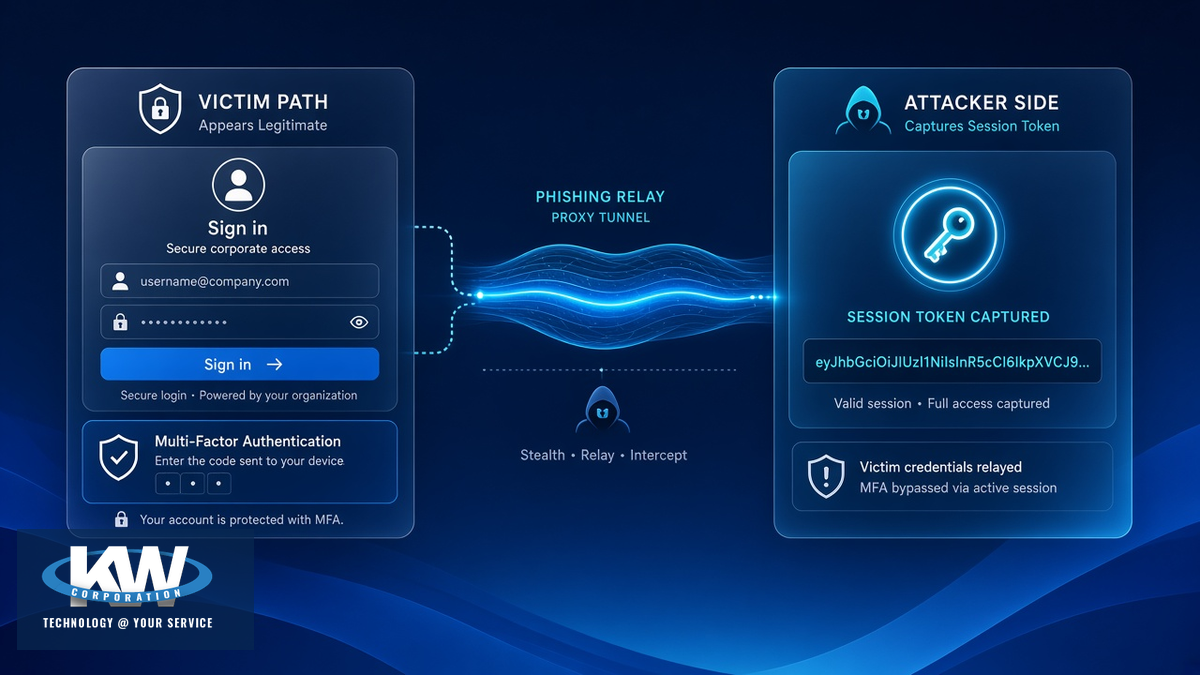
Adversary-in-the-middle kits sit between your employee and Microsoft’s real sign-in page. The person often sees a familiar Microsoft login, enters credentials, and completes a genuine MFA challenge. The attacker’s proxy relays that traffic in real time, then captures the authenticated session cookie. With that cookie, the attacker can reuse the session — often without triggering another MFA prompt.
Typical flow:
The employee clicks a lure — often a “document share,” DocuSign-themed envelope, or similar urgent link — and lands on a phishing page that proxies the real Microsoft sign-in.
They enter username and password. The attacker’s kit relays those credentials to Microsoft in real time.
They complete MFA for a genuine Microsoft challenge (push, SMS, or one-time code). Ordinary MFA methods can be relayed through AiTM.
The kit captures the authenticated session cookie after MFA succeeds.
The attacker reuses that session. A password reset alone is not enough — you need to revoke sessions and refresh tokens, then review Entra / Microsoft 365 sign-in activity.
What public research has documented
These are public threat-research examples — not KW customer incidents. They show how session theft after MFA is being packaged and sold.
NovaCookies (Island, August 2026)
Island researchers described a phishing-as-a-service offering advertised at about $320 per month (also $200 for fourteen days) that relays Microsoft 365 logins in real time and captures authenticated sessions after password and MFA. Their reporting pointed to hundreds of organizations targeted, infrastructure that expanded from mid-May and continued through August 2026, and 755 domains in a companion IOC set. Observed delivery included genuine DocuSign envelopes carrying counterfeit document-share lures — with DocuSign and Microsoft themselves not compromised; those services were abused as delivery or redirect layers. Dark Reading independently covered the same Island findings.
BigBear 2.0 (CloudSEK / CSO Online, September 2026)
CloudSEK reported an Evilginx2-based operation known as BigBear 2.0. In the panel data they reviewed: 4,148 session cookies, 474 completed MFA-bypassed authentications, and 461 organizations. CSO Online’s coverage aligned on those core counts. Researchers also noted custom code intended to interfere with FIDO2/WebAuthn on phishing pages (steering victims toward weaker MFA) and that residential proxies can weaken location-based Conditional Access checks.
What to do
For end users
- Do not approve unexpected MFA prompts — if you did not just sign in, deny and tell IT
- Open Microsoft 365 from a known bookmark; be wary of surprise DocuSign or “document share” links
- Treat odd login pages and urgent “review this file” themes as phishing until proven otherwise
- If something feels wrong after a sign-in, report it immediately — do not wait for a password-reset email alone
For organizations
- Prefer phishing-resistant MFA (FIDO2 / passkeys / security keys), especially for admins and other high-risk accounts
- Use Conditional Access — require managed or compliant devices for sensitive apps where you can
- Train with the AiTM picture: MFA can succeed and the session can still be stolen
- If compromise is suspected: revoke sessions and refresh tokens, reset credentials, review Entra / Microsoft 365 sign-in logs, mailbox rules, OAuth consent, and new MFA devices — password reset alone is not enough
Practical next steps (checklist)
Roll phishing-resistant MFA (FIDO2 / passkeys / security keys) for admins first, then high-risk roles.
Design Conditional Access policies that prefer managed or compliant devices for sensitive Microsoft 365 apps.
Update awareness training: unexpected MFA prompts, bookmark-only sign-in habits, and document-share lure themes.
Document the incident response path: revoke sessions and refresh tokens → reset credentials → review sign-in logs and related Entra signals.
Bottom line for Mid-Michigan teams
MFA is still one of the highest-value controls you can enable. AiTM does not erase that — it raises the bar for what “done” looks like. Prefer phishing-resistant MFA, pair identity with Conditional Access, train people not to rubber-stamp MFA prompts, and if compromise is suspected, revoke the session — not just the password.
KW Corporation is part of your team. Our Managed IT practice helps Mid-Michigan and statewide organizations harden Entra ID / Microsoft 365 identity — phishing-resistant MFA rollouts, Conditional Access design, and ongoing monitoring — so MFA is a beginning, not a finish line.
Need a second set of eyes on identity?
KW’s Managed IT team can help with phishing-resistant MFA, Conditional Access, and Microsoft 365 identity monitoring for this class of attack.
Public research and documentation used for educational commentary. See original articles for full analysis:
Island — NovaCookies · Dark Reading — NovaCookies · CloudSEK — BigBear 2.0 · CSO Online — BigBear 2.0 · Microsoft Research 2023 — MFA efficacy
Technology @ Your Service
KW Corporation · 307 W. Grand River Ave, Fowlerville, MI 48836 · 517-223-3610